Effective cash flow management is the lifeblood of any business. Without a clear view of the cash coming in and going out, even profitable companies can find themselves struggling to pay bills or seize growth opportunities.
To help you take control of your finances, we are diving deep into a comprehensive Cash Flow Statement Excel Template. This guide will walk you through its structure, explain how to use it, and show you how to leverage it for better financial planning. Whether you are a small business owner, a startup founder, or a student of finance, this template is designed to turn complex data into actionable insights.
A cash flow projection is a forecast of the cash a business anticipates receiving and paying out over a specific period. It helps business owners predict shortages or surpluses in cash, allowing them to make informed decisions about financing, spending, and operations. Unlike a profit and loss statement, which includes non-cash items like depreciation, a cash flow statement focuses strictly on the actual movement of cash.

This specific Excel file is a robust tool built with both functionality and accuracy in mind. It is divided into four main worksheets, each serving a distinct purpose:
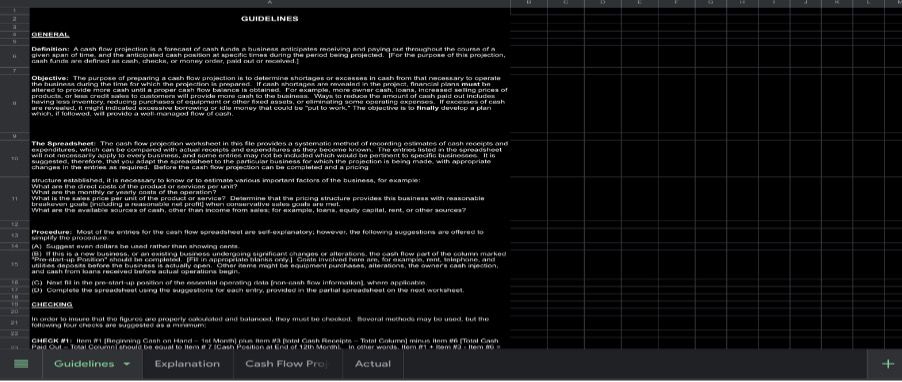
1. Guidelines: Offers a detailed theoretical overview, definitions, objectives, and critical formulas for checking your data.
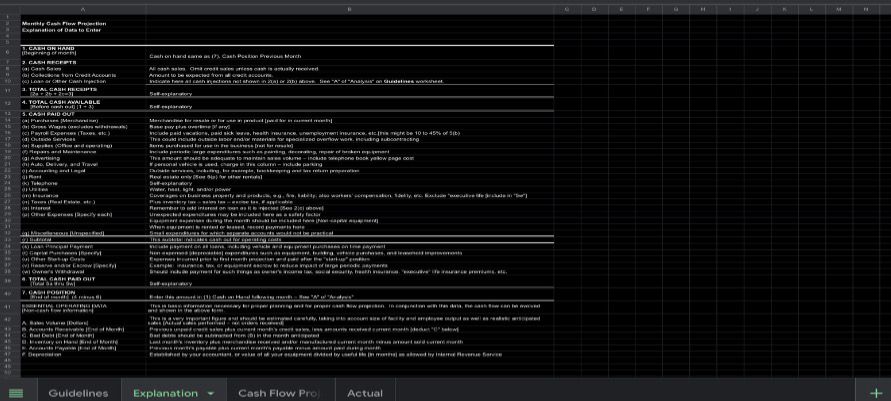
2. Explanation: Provides a line-by-line description of what data should be entered into each cell.
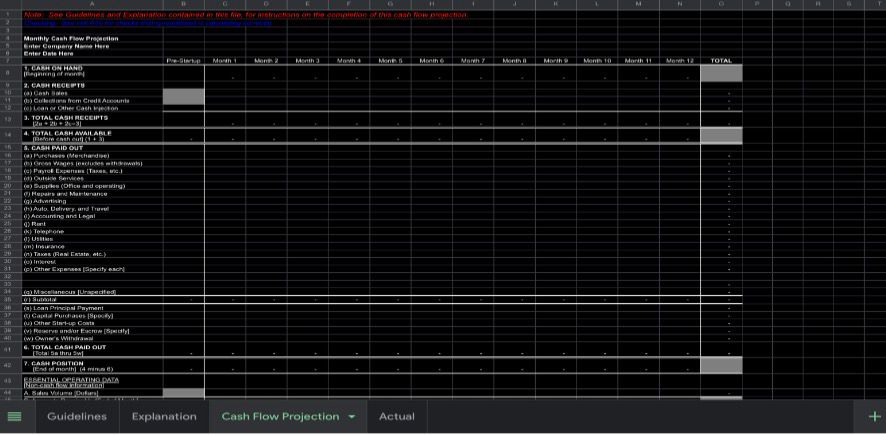
3. Cash Flow Projection: The main working sheet for entering your estimated or projected figures.
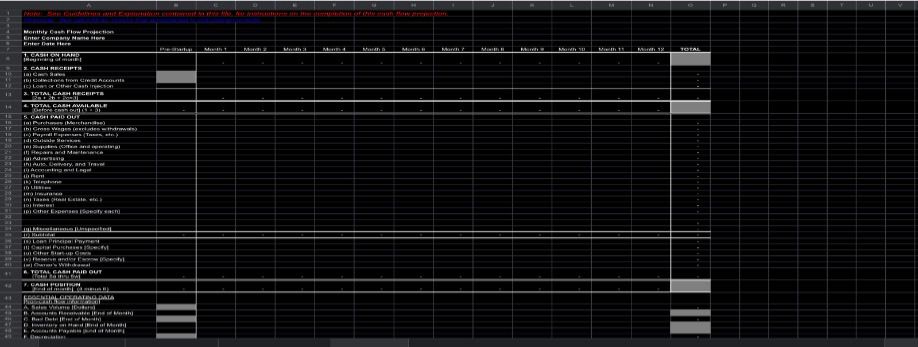
4. Actual: A duplicate of the projection sheet, designed for you to input real historical data to compare against your estimates.
The template also includes built-in "Check" cells that automatically verify if your data balances correctly, saving you from manual errors.
To truly understand the power of this template, let’s break down its core components.
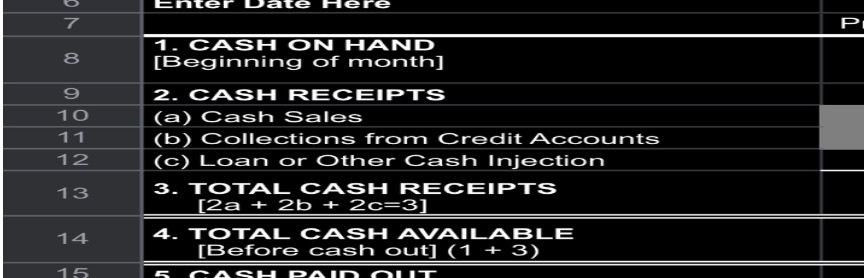
This section tracks every dollar coming into the business. It distinguishes between immediate cash sales and the collection of credit accounts, providing a realistic view of liquidity. Row 2(c) is particularly important for noting any infusions of capital from loans or investors.
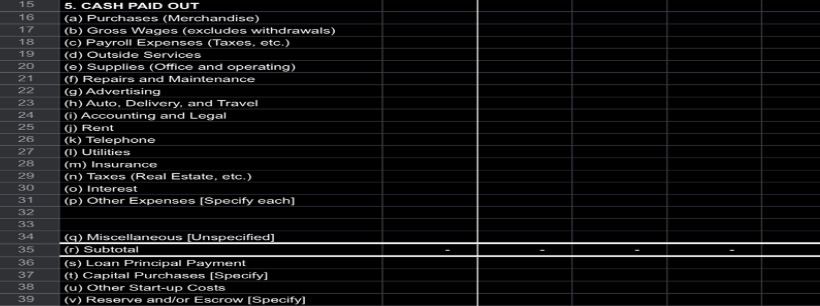
This is the most detailed part of the template. It breaks down expenses into granular categories, from "Gross Wages" and "Rent" to "Loan Principal Payment" and "Owner's Withdrawal." The "Subtotal" row isolates operating costs before factoring in financing and capital expenditures, allowing you to see your core operational burn rate.
This section is the engine of your projection. It requires you to estimate your sales volume, accounts receivable, and inventory. This data directly impacts how much cash you actually have available, as sales made on credit are not cash in the bank until collected.
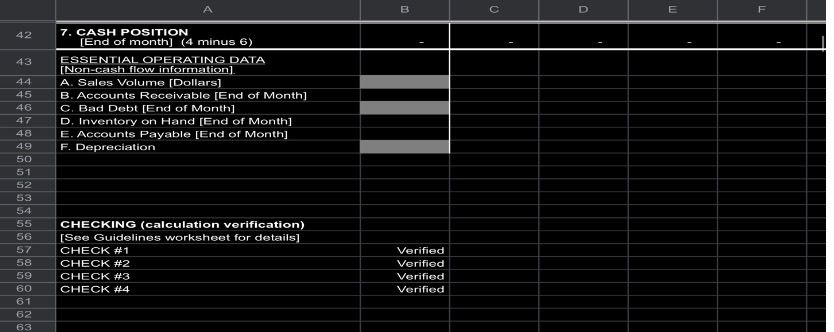
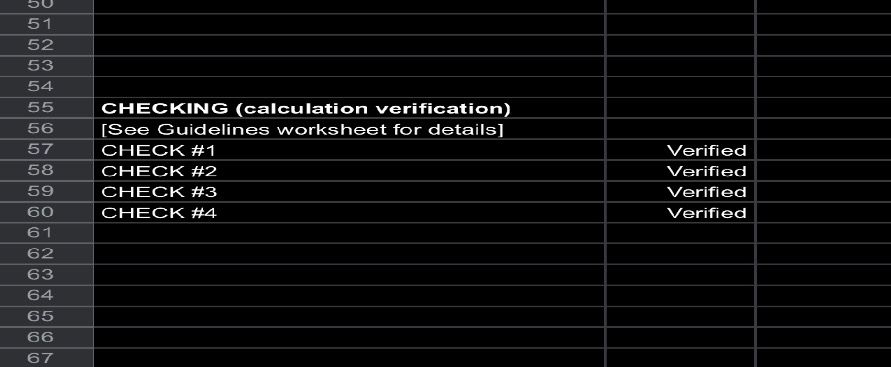
What sets this template apart is its focus on accuracy. The four "CHECK" cells at the bottom use formulas to validate your data against accounting principles.
• Error Reduction: Automated checks prevent manual calculation mistakes.
• Informed Decision-Making: By identifying cash shortages in advance, you can arrange financing or cut expenses before a crisis hits.
• Goal Setting: The "Actual" tab allows you to compare projections against reality, helping you set more accurate goals for the next period.
• Professional Presentation: A well-formatted, accurate cash flow projection is essential when presenting to banks or investors for funding.

Q: What is the difference between the "Projection" tab and the "Actual" tab?
A: The "Projection" tab is for your forecasted estimates. The "Actual" tab is an exact copy where you can input real financial data at the end of each month. This allows for a side-by-side comparison to see how accurate your forecasts were.
Q: I see an "Error" message in the checking section. What do I do?
A: An "Error" message means your totals do not balance according to the formulas on the Guidelines sheet. Double-check that all your rows and columns sum correctly. The most common issues are missing figures in the "Total" column or forgetting to carry your "Cash Position" forward to the next month's "Cash on Hand."
Q: Do I have to fill out every single row in "Cash Paid Out"?
A: No. The template is comprehensive, but you should adapt it to your business. If an expense category does not apply to you (e.g., you have no "Outside Services"), simply leave it blank or enter zero. The formulas will still calculate correctly.
A cash flow projection is more than just a spreadsheet; it is a strategic tool for navigating the financial future of your business. By using this Excel template and following the steps outlined in this guide, you can move from guessing your financial position to knowing it with certainty. Download the template, start inputting your numbers, and take the first step toward mastering your business cash flow.
Download your template:
Download Excel Template