Creating an accurate budget for clinical research is one of the most critical and complex tasks in study planning. Whether you're an investigator launching a new study or a research coordinator managing multiple trials, having a comprehensive budgeting tool ensures you account for every cost and maintain financial viability.
This guide walks through the Clinical Trial Budget Template—a comprehensive Excel tool designed specifically for investigator-initiated research at institutions like the Murdoch Children's Research Institute.
A clinical trial budget template helps researchers plan, track, and manage all costs associated with conducting a study. It accounts for procedures, laboratory tests, personnel time, pharmacy services, and infrastructure overhead, ensuring the study is properly funded from start to finish.

This comprehensive file consists of eight interconnected worksheets:
The template uses color-coded cells to indicate where you enter information versus automatic calculations.

Enter your protocol details, participant numbers, and overhead percentage. The visit matrix across the top lets you map costs to each study visit type.
Start by entering your protocol name, version date, principal investigator, and department. The site is pre-set to Murdoch Children's Research Institute with an infrastructure overhead of 20 percent—confirm this applies to your funding source.
Set the number of participants and review the visit types across the top. The template includes screening, treatment, and follow-up visits—add or remove columns as needed for your protocol.
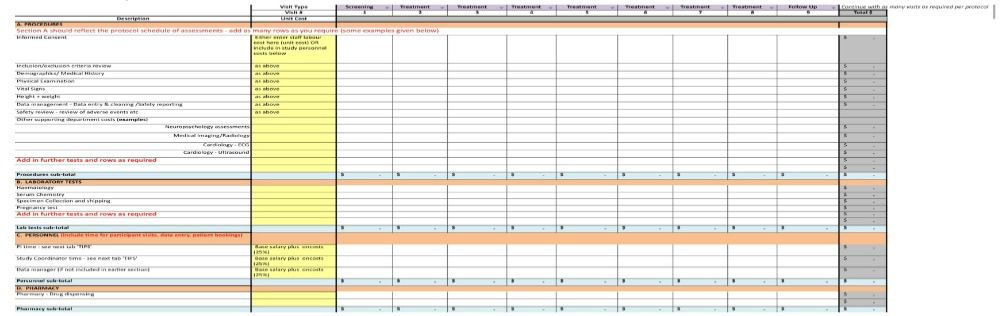
Work through each section row by row, entering unit costs for procedures, lab tests, and personnel time. The template automatically calculates subtotals per visit.
The budget is organized into four main sections:
As you enter unit costs, the template automatically calculates per-visit subtotals and accumulates them in the Total column.
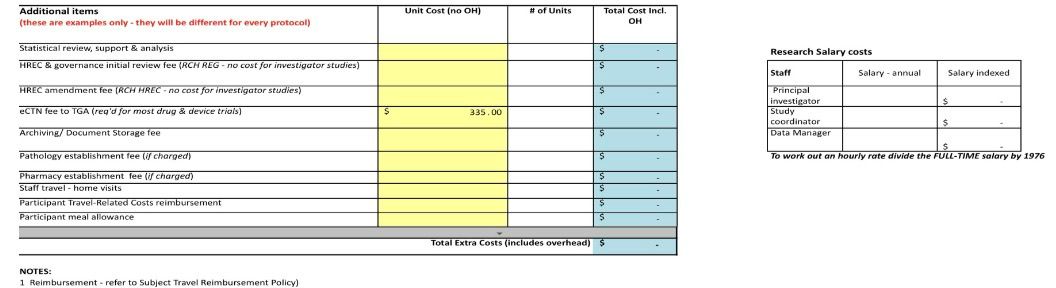
Don't forget study-wide costs like statistical support, regulatory fees, archiving, and participant reimbursements. These are separate from per-visit costs.
Scroll to the bottom of the Budget creation sheet to find the Additional items section. Here you'll enter costs that aren't tied to individual participant visits, such as:
For each item, enter the unit cost and number of units. The template calculates the total including overhead.
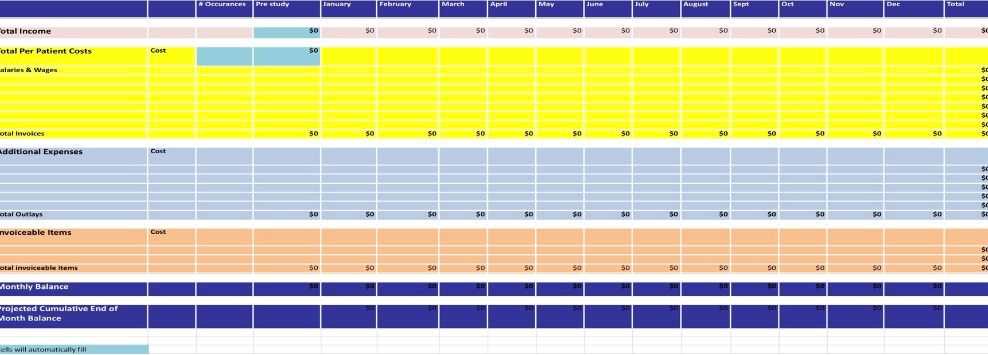
Use the tracking sheet to monitor actual income and expenses month by month. Compare against your projections to catch variances early.
Once your study is underway, switch to the Budget tracking Yr 1 sheet. This worksheet lets you record:
The sheet calculates monthly balances and projected cumulative end-of-month balance, helping you stay on top of your study finances.
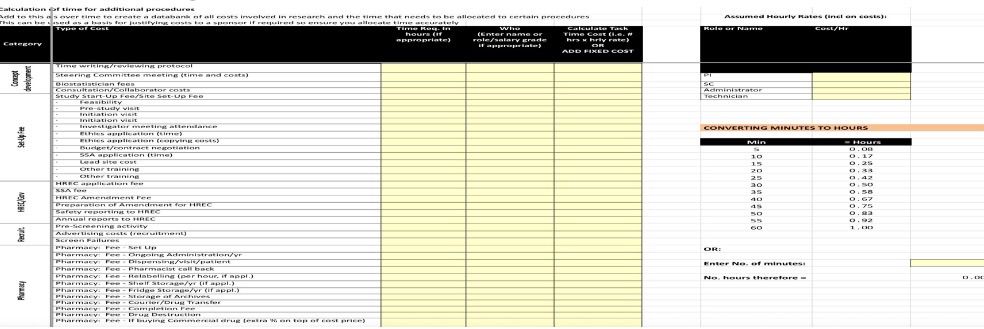
Build a customized database of procedure times and costs. Over time, this becomes an invaluable reference for creating future budgets faster and more accurately.
The budget time & resources list sheet is a powerful feature that lets you document the time required for every study activity. As you complete more studies, this list grows into a personalized reference that makes future budgeting faster and more defensible when justifying costs to sponsors.
Categories include concept development, set-up fees, HREC submissions, recruitment, pharmacy, pathology, radiology, safety monitoring, patient costs, and more.
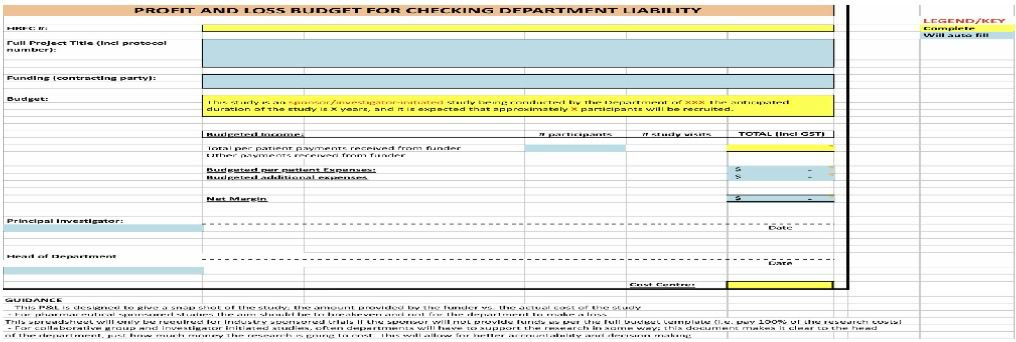
This one-page summary is perfect for department heads and finance committees. It shows total income, expenses, and net margin at a glance.
The Budget P&L - printable sheet distills your entire budget into a single page. It includes:
This is particularly valuable for investigator-initiated studies where departments may need to support research. It provides clear accountability for decision-making.
What overhead rate should I use?
MCRI applies 20 percent to most income sources except NHMRC grants, other competitive peer-reviewed grants, and donations. Check with your finance department for your specific situation.
How do I calculate hourly rates for staff?
Divide full-time annual salary including on-costs by 1976 hours (52 weeks × 38 hours). This gives you an accurate hourly rate for budgeting.
What if my study has more visits than the template shows?
The template includes nine visit columns. You can continue adding more visits as required by your protocol—the instructions note "Continue with as many visits as required per protocol."
How do I handle screen failures?
Consider including screen failures in your participant number estimate or adding a line item in additional costs. Screen failures still consume staff time and resources.
Can I use this for commercially-sponsored research?
The template was developed for investigator-initiated research. Contact your institution for guidance on budgeting for commercially-sponsored studies.
Clinical trial budgeting is complex, but the right template makes it manageable. This comprehensive tool guides you through every step—from building per-visit costs to tracking monthly actuals to presenting a one-page summary to department heads.
Download the template, study the examples, and start building your budget section by section. The time invested in accurate budgeting pays off throughout your study's life.
Download your template:
Download Excel Template