Getting out of debt is one of the most important financial goals for many individuals and families. Whether you're dealing with credit cards, loans, or other debts, having a clear plan and tracking your progress is essential for success.
This guide walks through the Debt Reduction Calculator—a practical Excel tool designed to help you compare different debt payoff strategies, create a payment schedule, and track your journey to becoming debt-free.
A debt reduction calculator helps you plan how to pay off multiple debts by comparing different payoff strategies. It shows you how long each strategy will take, how much interest you'll pay, and provides a month-by-month payment schedule to keep you on track.
This file consists of three worksheets:
The template allows you to compare multiple payoff strategies side by side, so you can choose the approach that works best for your financial situation and motivation style.
Before using the calculator, it's helpful to understand the different strategies available:
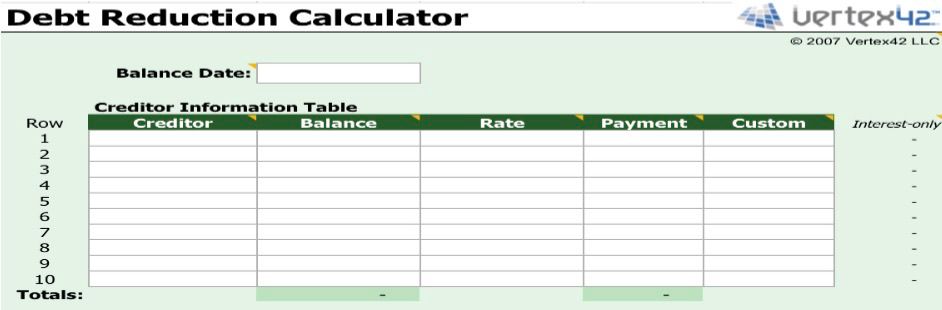
Caption: Enter each debt with its balance, interest rate, and minimum payment. The custom column lets you create your own priority order later.
In the Creditor Information Table, enter for each debt:
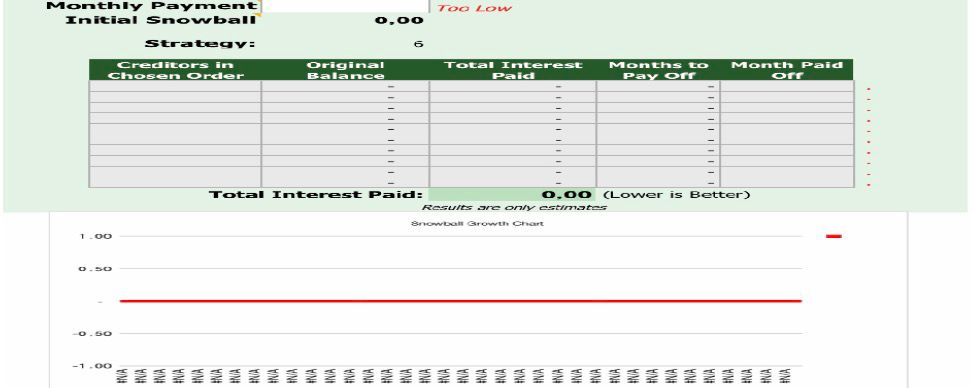
Caption: Enter your total monthly payment amount and select your preferred payoff strategy from the dropdown menu.
Enter the total amount you can afford to pay toward debt each month. This amount should be more than the sum of all minimum payments to make progress.
The "Initial Snowball" field shows the amount available to apply to extra payments after all minimum payments are made.
Select your preferred strategy from the dropdown menu. The template will automatically reorder your debts based on this choice:
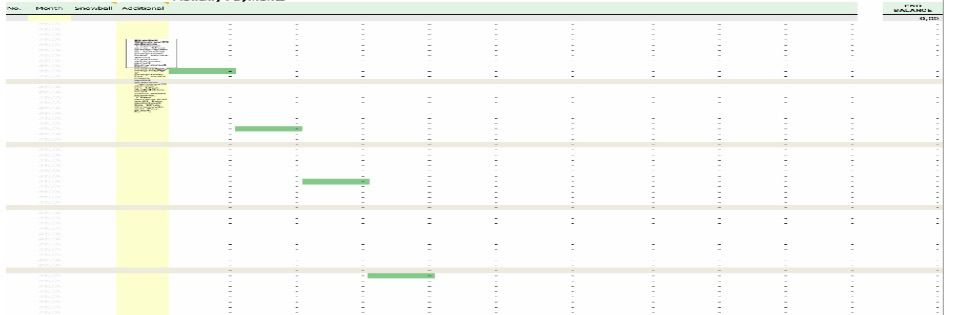
Caption: The PaymentSchedule worksheet shows month-by-month exactly how your payments are applied, including extra payments and the snowball effect.
This detailed worksheet shows for each month:
As you pay off one debt, the payment that was going to that debt rolls into the next debt—this is the snowball effect in action.
1. Creditor Information Table
This is where you input all your debt data. The table includes an "Interest-only" column that calculates the minimum interest portion of your payment, helping you see how much of your payment goes to interest versus principal.
2. Strategy Comparison
The template lets you experiment with different strategies without re-entering data. Simply change the strategy dropdown and see instantly how your total interest and payoff time change.
3. Results Summary
This section provides a clear overview of your debt payoff plan, including the all-important "Total Interest Paid" figure—the lower this number, the better your strategy.
4. Payment Schedule
The detailed month-by-month schedule is your roadmap to becoming debt-free. It shows exactly what to pay each month and celebrates when each debt is eliminated.
Tip 1: Consider balance and rate together. If you have two debts with similar balances but very different interest rates, you might save substantially by paying the higher rate first, even if its balance is slightly higher.
Tip 2: Think about motivation. If the difference in total interest between strategies is small, the psychological boost of paying off a debt quickly might be worth more than the interest savings.
Tip 3: Update regularly. Your minimum payments may change as balances change, or if interest rates adjust. Update your information every few months and consider restarting with fresh numbers to optimize further.
Tip 4: Use snowflakes. "Snowflaking" means making occasional extra payments above your normal monthly amount. You can add these in the PaymentSchedule worksheet to accelerate your progress.
Which strategy is best?
The Avalanche method (highest interest first) saves the most money in total interest. The Snowball method (lowest balance first) provides psychological motivation by giving you quick wins. Choose what works for your personality and situation.
What if my monthly payment is too low?
If your total monthly payment is less than the sum of all minimum payments, you won't make progress. The template will show "Too Low" to alert you.
Can I add more than 10 debts?
The standard version supports up to 10 debts. For more, you would need the extended version mentioned in the template.
What does "Interest-only" mean?
This shows what your payment would be if you only paid the interest each month, without reducing principal. It's a reference point, not a recommended payment method.
How do I use the Custom strategy?
Enter numbers in the Custom column (1, 2, 3, etc.) to set your own priority order. Lower numbers are paid first.
Getting out of debt requires a plan, discipline, and tracking. This Debt Reduction Calculator gives you the tools to create a personalized payoff strategy, compare your options, and follow a clear month-by-month path to financial freedom.
Download the template, list all your debts honestly, choose a strategy that fits your style, and start your journey to becoming debt-free today.
Download your template:
Download Excel Template